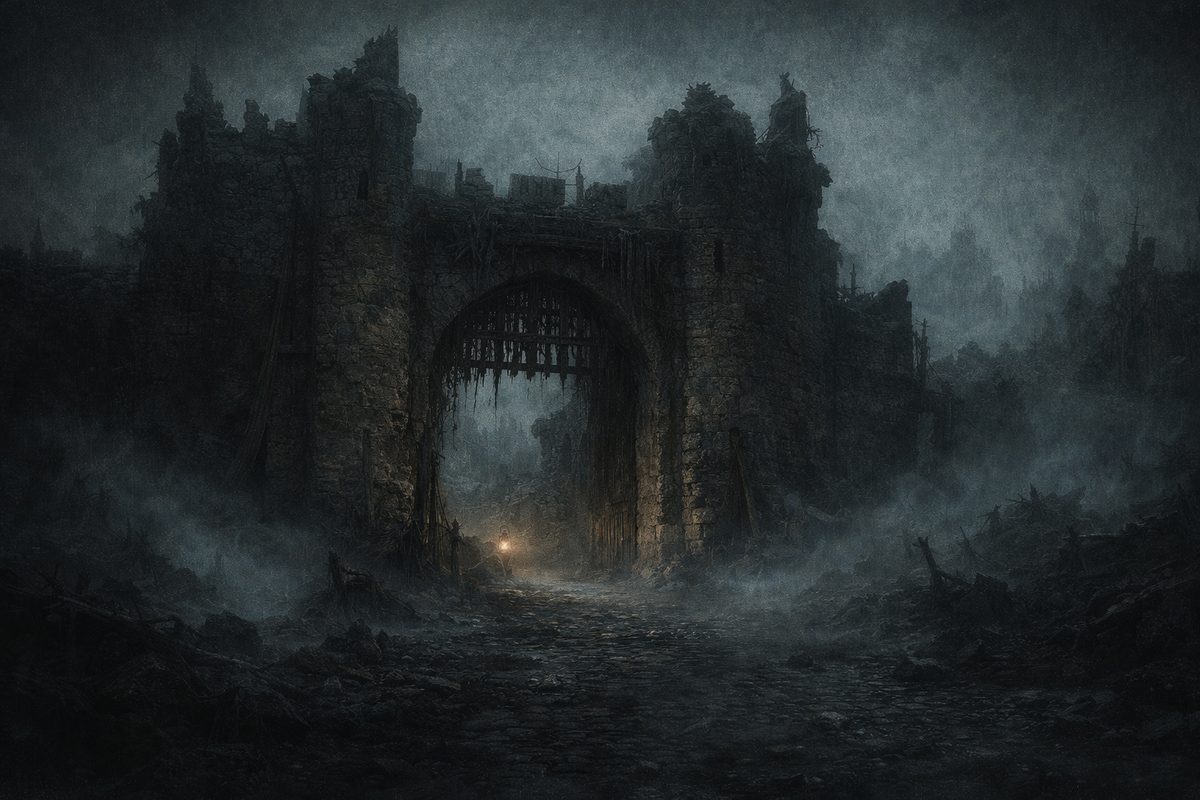
A music video produced entirely through hand-drawn work or live action generally requires substantial resources. Over the past year, I have organized the work into a semi-automated image-production workflow: I retain responsibility for the concept, aesthetic direction, and critical decisions, while AI performs still generation, animation, and selected repetitive operations. This article documents the complete structure of that workflow. The figures come from production use, and the rules were established through repeated revision and verification.
This is not a method for producing a finished video from a single sentence. AI reduces the cost of drawing and rendering, but increases the density of selection and evaluation. The process still requires decisions about visual direction, which stills warrant animation, and how each shot should align with a musical event. The tools have changed; selection remains the central production task.
Eight-stage production workflow
The transformation of a finished song into a released music video can be divided into eight stages:
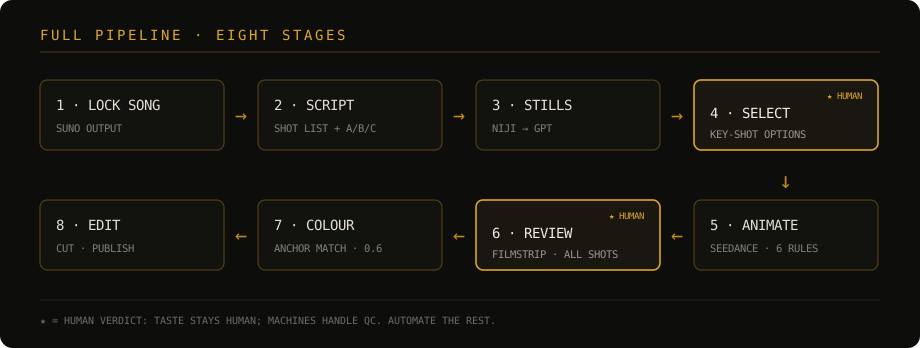
- Song approval (generation and selection with Suno);
- Director’s script (global rules, shot list, and A/B/C motion grading);
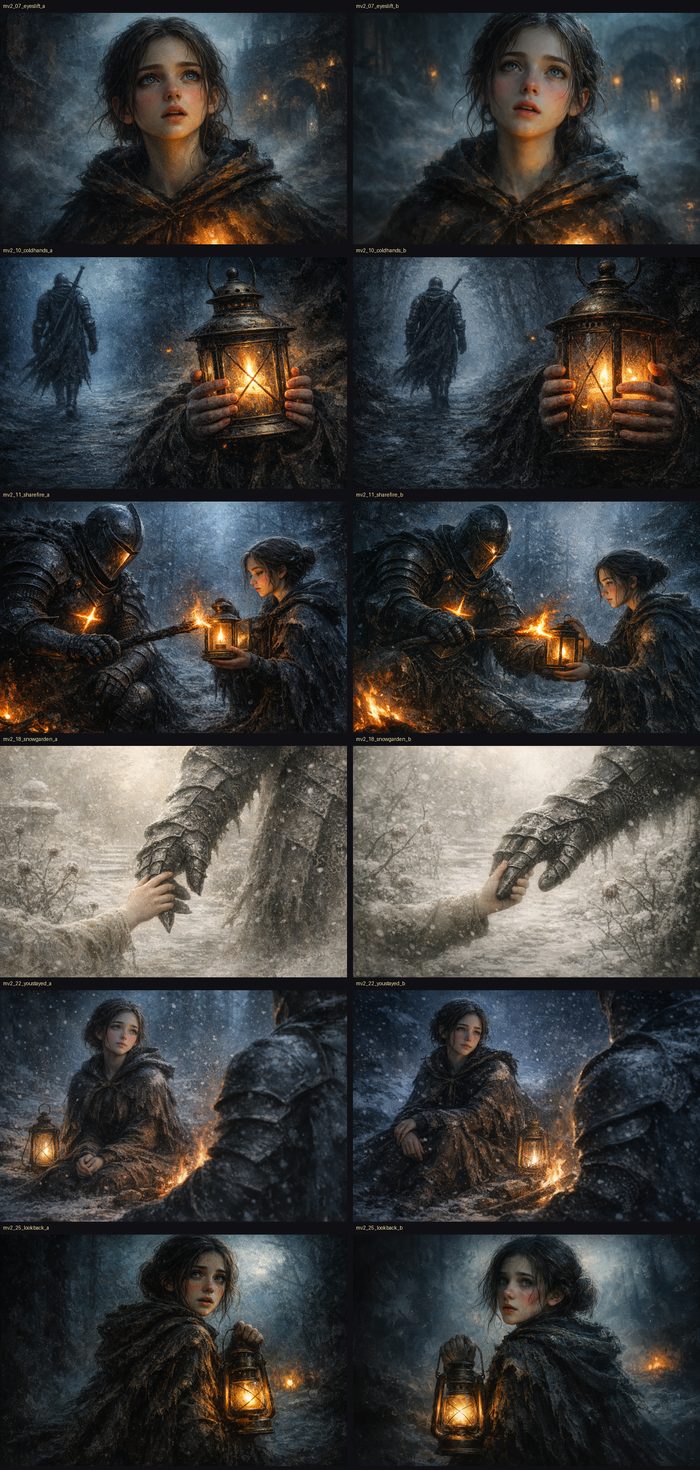
- Still production (niji → GPT, applying four base constraints);
- Image selection (choose one result from two or three candidates for each key shot);
- Animation generation (Seedance, applying six motion-control principles);
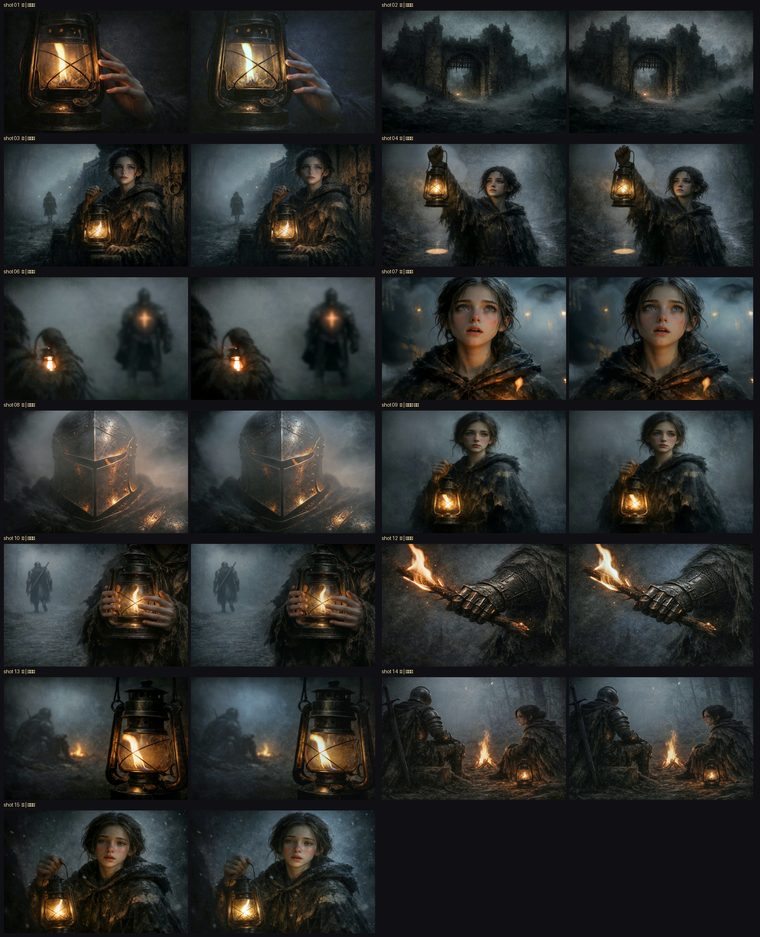
- Two rounds of review (inspect each shot through filmstrip contact sheets);
- Colour delivery (affine matching against an anchor shot);
- Editing and release (CapCut → Douyin).
I make the image-selection and review decisions directly. Automated procedures can inspect dimensions and loop seams, but visual quality and narrative suitability still require human judgment. The remaining stages are standardized and automated where practical.
Prompt separation: images define appearance, video defines motion
The workflow separates prompts into two strict layers:
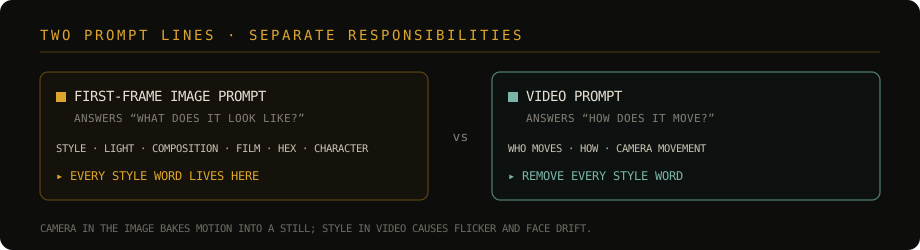
- First-frame image prompts describe only the visual result: style, lighting, composition, film texture, hex palette, and character anchors. All style language remains in this layer;
- Video prompts describe only motion: the moving subject, its movement, and the camera movement. Style language is not repeated at this stage.
When an image prompt includes camera movement, the model may encode directional motion into the still itself. When a video prompt repeats extensive style language, the result is more likely to show visual flicker or facial drift. Separating appearance from motion reduces conflicts between the responsibilities of the two generation stages.
This image/video separation, along with the structured animation syntax and controlled camera vocabulary used below, is based primarily on Higgsfield’s published methodology and then adapted to the project’s dark visual direction. The published method provides the foundation; the specific constraints come from testing within this production.
Still generation: four base constraints
- Place the style standard last: the final reference image is always the approved day or night style standard, ensuring that the model aligns with the visual baseline;
- Constrain the grey base: the world remains grey, while warm colour exists only within the radius of a flame, preventing a general yellow cast;
- Specify fine brushwork: reduce digital noise and excessively coarse grain;
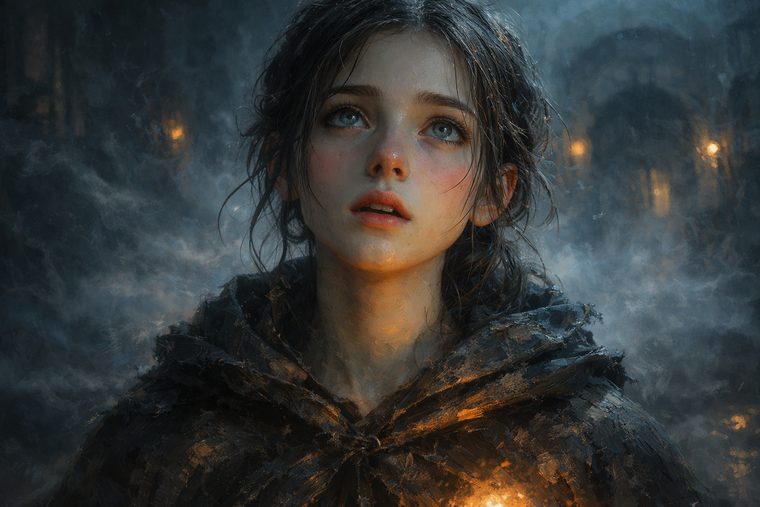
- Constrain facial texture: retain healthy colour, fine surface detail, and oil-painted highlights instead of an excessively smooth and textureless face.
- Include the hex palette in the prompt: enter the approved twelve to fifteen hex values directly, converting colour from descriptive language into an explicit constraint;
- Use a style-preset dictionary: select combinations such as “Soulslike oil painting · night,” “flashback,” or “candlelit altar,” then supply the subject instead of rewriting the style for each shot;
- Maintain one fixed style declaration: use the same
Style: painterly dark fantasy, oil-painting texture, Rembrandt single-source lighting, chiaroscuro. No game engine, no 3D render look.statement.
- Do not correct facial or body proportions through post-production stretching or face replacement. These operations tend to introduce new deformation, so an unsuitable result returns to the generation stage for another sample.
Animation generation: six control principles
- Avoid open-ended verbs such as “breathe” or “flicker,” which may prompt the model to add unspecified luminous rings or organic structures;
- Use explicit constraints for objects that must remain static, such as “brightness remains completely constant” or “never increases in size”;
- Retain only one or two motion sources in each shot, and identify every other object as static;
- When an object must remain out of focus, state that it is “out of focus from beginning to end”;
- For a loop, use the same image as the first and last frame and lock the camera;
- Do not use flame as the primary motion source. A flame in the subject position tends to expand throughout generation; this restriction follows five consecutive failed attempts.
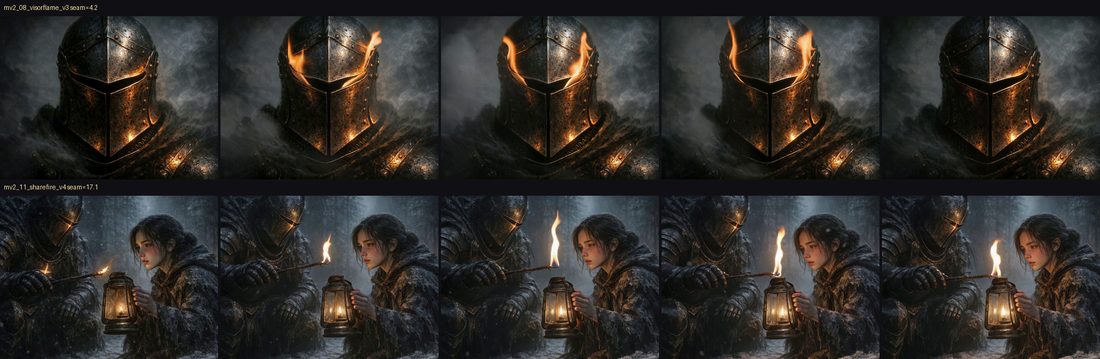
In production tests, loosely worded prompts had a first-pass rate of 67%; explicit constraints raised it to 88%. For shots containing fire, fog, snow, hair, or wick brightness can serve as the motion source instead. The shot can also remain still and receive camera movement during editing.
Animation prompts use the platform’s structured syntax instead of prose so that motion can be aligned accurately with musical events:
Total: 10s / 2 shots / 16:9
Shot 1: 0–3s: she raises the lantern slowly...
        3–5s: fog drifts left, [VFX: embers rising]
Shot 2: @image is the first keyframe and style reference
        camera: slow dolly in, sharp focus throughout
Two controls are particularly important. First, timestamps define the rhythmic position of each action. Second, negative language is rewritten as a positive target state. Instead of no blur, the prompt uses sharp focus throughout. Published examples and project tests both indicate that explicitly naming an unwanted element in a prohibition can still trigger that element.
Camera movement is limited to eight semantic primitives—static / pan / tilt / dolly / tracking / crane / push-pull / orbit—combined with speed modifiers such as slow. With one primary camera movement per shot, the usable-result rate was 79%; combining multiple primary movements in one shot reduced it to 34%.
Model roles and task allocation
The workflow assigns work according to each model’s capabilities and uses stable constraints to compensate for known weaknesses.

| Platform / model | Strengths | Limitations | Assigned work |
|---|---|---|---|
| niji 7 / Midjourney | High aesthetic ceiling; strong character and style development | Limited precision and weaker consistency | Character design, visual origin, cover art |
| GPT image2 | Accurate instruction following; differential editing and batch generation | Lower aesthetic ceiling than niji; global yellow cast | Scene stills, character variants, emotional shots |
| Seedream | Large output sizes and low cost | Moderate overall texture | Large-format bases and drafts |
| Seedance 1.5-pro | Stable first/last-frame video and looping at lower cost | Flame expansion and facial drift during large movement | Primary animation model |
| Jimeng | Stronger control of fire and effects | Weaker batch processing and consistency | Alternative for fire shots |
| Suno / Whisper | Song generation / line-level transcription and timecode alignment | — | Music and timeline support |
Seedance also provides version 2.0, with a higher quality ceiling for complex camera movement, fighting, and effects, but also higher cost and balance requirements. 1.5-pro remains the primary model; 2.0 is considered only for critical performance shots. Both versions use the same production constraints. Final quality depends not only on the model, but also on the workflow and prompting, so changing the model does not require replacing the production structure.
Measured cost
| Item | Production data |
|---|---|
| Stills | ¥0.5–0.7 each; approximately 70 images, for a total of about ¥35–50 |
| Animation | ¥11.3 for 5s / ¥22.5 for 10s; 42 clips for a total of about ¥475 |
| First-pass rate | Loose wording 67% / explicit constraints 88% |
| Full cycle | Lyrics → release → music-video publication, approximately four days per song |
Cost control depends primarily on motion grading. Grade A full animation is reserved for performance shots and represents no more than 25% of the video. Grade B uses subtle looping motion for atmospheric subjects. Grade C retains the still and adds camera movement during editing. Applying Grade A animation to all 26 shots would cost more than ¥900; grading reduces the total to approximately ¥475. For songs built around a suspended visual atmosphere, the slow movement of Grades B and C also supports the intended direction.
Colour, editing, and release
- Colour: select the shot with the most accurate base colour as the anchor and apply per-channel affine matching with a blend coefficient of 0.6. Full matching can weaken warm close-ups, so part of the source colour is retained;
- Editing: repeat loops seamlessly. Avoid 3D camera movement on portrait stills because AI parallax can distort the face; use a slow push and slight rotation instead. Dream transitions use a blurred closure and dissolve;
- Export: retain the source resolution and frame rate—for example, do not export 24fps material at 60fps. Disable one-click enhancement and AI frame interpolation to avoid artefacts introduced by generative post-processing;
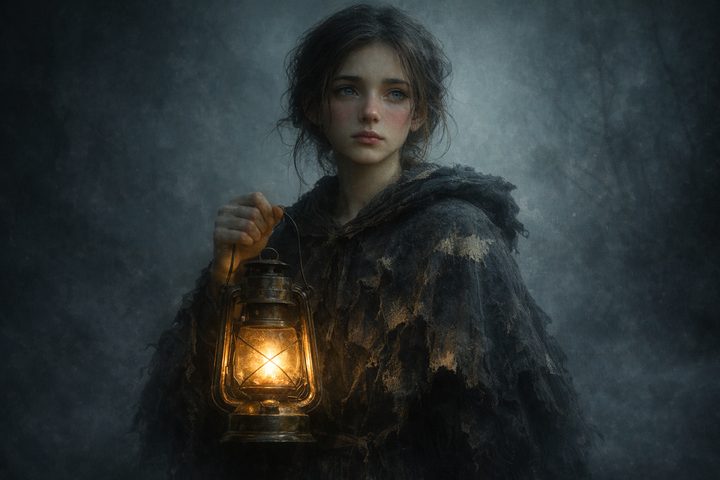
- Release: select a cover frame manually that contains both a visible face and a functional light source. Avoid a default black opening frame, which reduces recognition in a feed.
Common problems and responses
| Problem | Symptom | Response |
|---|---|---|
| Excessive style language in the video prompt | Visual flicker and facial drift | Keep style in the first-frame image prompt; describe only motion in the video prompt |
| Negative prohibitions | Terms such as no blur trigger the unwanted result |
Rewrite the restriction as a positive target state |
| Prose animation prompts | Shots do not align precisely with musical events | Use structured syntax and timestamps |
| Multiple primary camera movements in one shot | Shake and reduced image quality | Retain one primary movement per shot |
| Colour described only with adjectives | Tonality drifts between shots | Include the hex palette in the prompt |
| Flame used as a motion source | The flame expands during the shot | Use fog, snow, or hair as the motion source |
| Facial correction in post-production | Stretching and face replacement introduce new deformation | Return to the generation stage for another sample |
| AI post-processing in the editor | Artefacts appear in faces and painted texture | Disable the relevant functions and retain the source frame rate |
Conclusion
This workflow does not reduce the need for creative judgment; it redistributes production labour. AI performs generation and repetitive processing, while the human remains responsible for visual direction, shot choice, pacing, and final selection. Tools and models will continue to change, but visual standards, motion constraints, and review methods can remain as a stable production layer.